

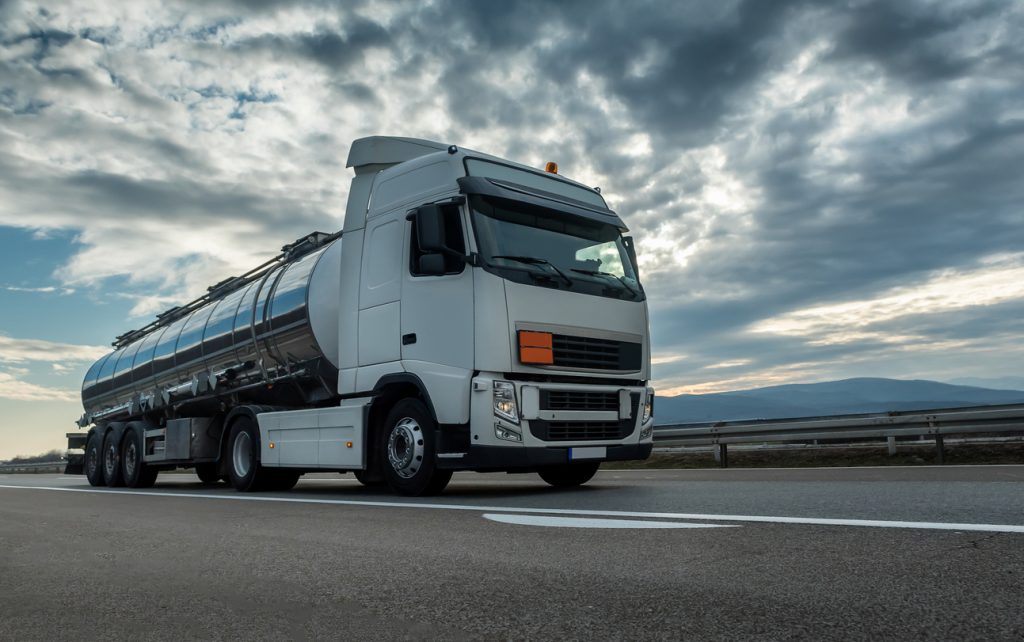
A truck sat nav is a navigation system designed for larger commercial vehicles rather than ordinary cars. The main difference is that it can use information about the truck’s dimensions and weight when calculating routes.
This matters because a route that is perfectly suitable for a car may not be suitable for a truck. Low bridges, narrow roads, weight restrictions, difficult turns and restricted access can all create problems for larger vehicles.
What Is a Truck Sat Nav?
A truck sat nav provides turn-by-turn navigation while taking the vehicle’s characteristics into account.
Depending on the system, you may be able to enter details such as:
- Vehicle height
- Vehicle width
- Vehicle length
- Gross weight
- Axle weight
- Trailer configuration
- Cargo type
- Hazardous-goods restrictions where applicable
The navigation can then use these details when calculating suitable routes.
Why Not Just Use a Normal Car Sat Nav?
A standard car navigation system generally assumes that the vehicle can use most roads accessible to cars.
A large truck has different requirements.
For example, a truck may encounter:
- Low bridges
- Weight-restricted roads
- Narrow streets
- Tight turns
- Width restrictions
- Roads unsuitable for trailers
- Restricted commercial-vehicle routes
A truck-specific navigation system is designed to account for these types of restrictions when the relevant map data is available.
Enter Your Truck’s Correct Dimensions
One of the most important parts of using a truck sat nav is entering accurate vehicle information.
If your truck is taller or heavier than the profile stored in the device, the route may not properly reflect the vehicle you are actually driving.
Check the:
- Overall height
- Width
- Length
- Loaded weight
- Axle configuration
- Trailer length where applicable
If the truck’s load changes significantly, update the vehicle profile when the navigation system supports it.
Truck Sat Nav for Long-Distance Driving
For interstate haulage and long-distance deliveries, a truck-specific navigation system can make route planning easier.
Before starting, review the complete route instead of simply following the first instruction on the screen.
Pay attention to:
- Major road restrictions
- Bridge clearances
- Weight limits
- Road closures
- Delivery access
- Areas where trucks may be restricted
- Alternative routes
Navigation should support your planning, not replace proper preparation.
Offline Maps Can Be Useful
Some truck sat nav devices and apps allow maps to be downloaded for offline use.
This can be useful when travelling through areas where mobile network coverage is unreliable.
Before a long journey, download the relevant map area and test that the device can navigate without an active internet connection if offline navigation is important to you.
Live Traffic and Route Changes
Traffic information can be particularly useful for commercial drivers because a delay can affect delivery schedules and operating costs.
A truck navigation system with live traffic information can potentially identify congestion and calculate an alternative route.
However, an alternative route should still be suitable for the truck. A faster car route is not necessarily a suitable truck route.
Truck Sat Nav for Delivery Drivers
Truck navigation can be useful for drivers making multiple deliveries.
Some commercial navigation systems can work alongside route-planning or fleet-management software, allowing drivers to receive planned destinations and follow truck-appropriate directions.
This can be particularly useful for:
- Distribution companies
- Haulage operators
- Construction businesses
- Courier fleets
- Logistics companies
- Moving and relocation services
Truck Sat Nav for Nigerian Roads
For Nigerian drivers, navigation should be treated as a planning aid rather than an absolute authority.
Road conditions, construction, traffic diversions, temporary closures and local instructions can change.
A route that appears suitable on a screen may become difficult because of current road conditions or access restrictions.
Always pay attention to road signs and instructions from relevant authorities, particularly when driving a large or heavily loaded vehicle.
What Features Should You Look For?
Before buying a truck sat nav, check whether it offers the features relevant to your work.
Useful features can include:
- Truck-specific routing
- Height and weight restrictions
- Width and length restrictions
- Trailer settings
- Offline maps
- Live traffic
- Large display
- Voice directions
- Route recalculation
- Multiple vehicle profiles
- Regular map updates
- Points of interest for commercial drivers
If you operate more than one type of truck, multiple vehicle profiles can be particularly useful.
Dedicated Truck Sat Nav vs Phone App
A dedicated sat nav can provide a larger screen and remain permanently mounted in the vehicle.
A phone app can be more convenient because the driver already has a smartphone and can receive regular software updates.
The important thing is not simply whether it is a device or an app. Check whether the navigation actually supports the vehicle restrictions relevant to your truck and operating area.
Don’t Rely Completely on Sat Nav
Even truck-specific navigation can contain outdated or incomplete information.
Before entering a road with a serious height, weight or access restriction, check the physical signs and current road conditions.
If the sat nav tells you to take a route that appears unsafe or conflicts with a road sign, do not blindly follow the instruction.
The driver remains responsible for making sure the vehicle can safely and legally use the road.
Check Your Sat Nav Before Leaving
Before a long delivery, make sure:
- The destination is correct
- The truck profile is accurate
- Maps are updated
- The device has sufficient power
- The route has been reviewed
- Offline maps are available if needed
- The screen is securely mounted
- Voice instructions are working
If you are using a phone, consider having a suitable charging setup because navigation can consume significant battery power during long journeys.
Truck Sat Nav for Fleet Operators
Businesses with several trucks may need more than basic turn-by-turn directions.
Fleet-focused systems can combine navigation with route planning, driver monitoring and vehicle tracking.
This can help businesses coordinate deliveries and give drivers routes based on the type of vehicle they are operating.
For larger operations, the ability to manage multiple vehicle profiles can be more useful than simply buying identical consumer sat nav devices for every driver.
When Travo.ng Can Help
If your business involves moving goods, equipment or vehicles between locations, Travo.ng can help with relevant transport, delivery and logistics arrangements.
Good route planning is particularly important when a journey involves large vehicles, multiple stops or time-sensitive deliveries.
Choosing a Truck Sat Nav
The most important feature is not simply having a large screen or attractive maps. The navigation should understand the vehicle you are actually driving and provide suitable routing information for its dimensions and restrictions.
Before buying, check the coverage for your operating area, the available truck restrictions, map-update system, offline capability and vehicle-profile options.
For commercial drivers, accurate vehicle information combined with careful route checking can make a truck sat nav a much more useful tool than ordinary car navigation.
